
Remove Image Backgrounds Instantly
AI-powered background removal that runs entirely in your browser. Remove backgrounds in HD quality without losing resolution. No uploads, no subscriptions, no limits. 100% Free.
Try It Now It's Free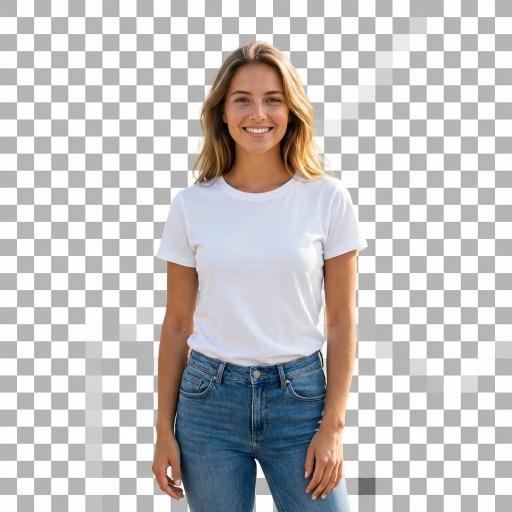

Drag & drop an image or click to browse
Supports PNG, JPG, JPEG, and WebP
Why Choose QuickBGRemove?
100% Private
Your images never leave your device. All processing happens locally in your browser using WebAssembly-based AI technology. Unlike cloud services, no data is ever sent to a server.
Completely Free
No subscriptions, no credits, no limits, and no watermarks. Use our tool as much as you want without any hidden costs or quality restrictions.
Lightning Fast
Powered by neural networks optimized for browser execution. After a one-time model download, get results in just 2-5 seconds per image.
Bulk Processing
Process multiple images at once and download them all as a single ZIP file. Perfect for e-commerce product photos and batch workflows.
High Quality HD
AI model delivers precise edge detection and clean cutouts in high resolution without losing quality. Output preserves original image dimensions.
Easy to Use
Simple drag-and-drop interface. No signup or account required. Works on desktop, iPhone, Android, and any modern browser. Just upload your image and get instant results.
How It Works
Upload
Drag and drop your image or click to browse. Supports PNG, JPG, JPEG, and WebP.
Process
AI removes the background in seconds, entirely in your browser
Download
Get your high-quality transparent PNG instantly, no watermarks
Frequently Asked Questions
Is my data safe?
Absolutely. Your images are processed entirely in your browser using WebAssembly-based AI. They never leave your device or get uploaded to any server. Unlike cloud-based tools, QuickBGRemove downloads the AI model once and runs all processing locally.
Is it really free?
Yes! There are no hidden costs, no watermarks, no signup required, and no usage limits. Completely free forever. Since all processing happens in your browser, there are no server costs to pass on.
What image formats are supported?
We support PNG, JPG, JPEG, and WebP formats as input. Results are always exported as high-quality PNG with full transparency support, compatible with design tools like Canva, Photoshop, Figma, and PowerPoint.
How to remove background on iPhone?
QuickBGRemove works perfectly in mobile browsers. Just open Safari or Chrome, upload your photo from your camera roll, and get HD results instantly. No app installation required.
Why is the first image slow?
The AI model needs to be downloaded on first use (~40MB). This is cached in your browser for instant processing afterwards. Subsequent images process in 2-5 seconds.
How does bulk processing work?
Switch to Bulk Mode and select multiple images. They are processed one by one, and you can download all results as a ZIP file. Perfect for e-commerce product photos and batch workflows.